Edmunds - Shop Cars For Sale
- 4.0
- Rating
- 1.00M
- Installs
- Free
- Price

 Analysis by App-foxy
Buying a car is already a demanding task, and it becomes even harder when a shopping tool makes you jump between unclear listings, crowded screens, and unexplained jargon. I spent time with Edmunds - Shop Cars For Sale to see how well it supports that process, especially for people who need a calmer, more readable way to compare vehicles. My overall impression is that it is a useful starting point for new and used car research, but it works best as one part of a buying routine rather than as the only source of truth.
This is a free Auto & Vehicles app from Edmunds.com, aimed at helping people find their next car. It has been available since 2011 and is rated for Everyone, which makes its intended audience broad. The app has passed one million installs, with an average rating of 4.1 from around 6,700 ratings and roughly 1,900 written reviews. Those figures suggest a well-established tool with a substantial user base, although they do not remove the need to judge whether its presentation suits your own way of working.
How clearly the app supports car research
I focus this section on how Edmunds helps me turn a broad car-buying idea into a shortlist I can actually evaluate. Its value is less about making the decision for me and more about giving each candidate a consistent place in the research process. That distinction matters when I want to compare vehicles without confusing a polished listing with a confirmed fit.
You May Also Like

 Blood Strike: 2.5 Anniversary
Blood Strike’s Loadouts Turn Every Drop Into a Tactical Gamble
A close look at Blood Strike’s custom loadouts: how fast access to signature weapons reshapes its battle royale rhythm, rewards preparation, and narrows the gap between fights.

 Pandora - Music & Podcasts
Pandora’s Music Is Easy to Start, but Harder to Recover
Pandora’s strength is its low-effort path from a seed to a station. Its weak spot is how much confidence it asks you to place in connection, setup, and quiet recovery.

 8 Ball Pool
 Is Built on Rivalries, Rematches, and Routine
A close look at the rivalries, rematches, shared routines, and unanswered safety questions that turn a quick pool match into a persistent mobile community.

 Samsung Music
’s Quiet Strength Is Playing What You Already Own
Its reach comes less from spectacle than from dependable access to a personal library. That simplicity is both the app’s strongest retention engine and its ceiling.

 AccuWeather: Weather Radar
AccuWeather Review: A Quick, Clear Forecast for Everyday Decisions
For everyday plans, the best forecast is the one you can understand quickly. AccuWeather makes rain timing, radar, and local conditions easy to act on, with a few trade-offs.

 Hill Climb Racing
Why Hill Climb Racing Still Turns Crashes Into One More Run
A tiny car, a bumpy hill and one more upgrade: Hill Climb Racing keeps resurfacing because its simple chaos makes every near-miss feel personal.
More From Our News Desk



Readability and navigation during the first search
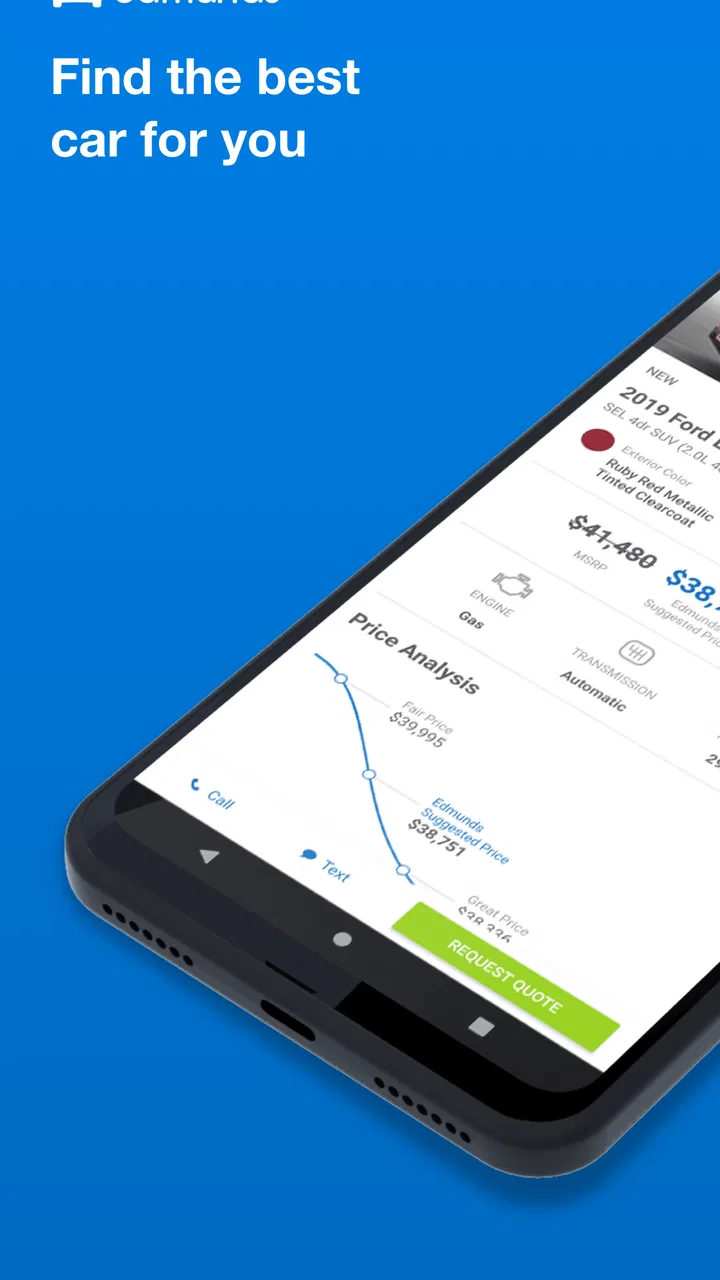
The most helpful part of the experience is the way the app turns a vague goal such as “I need a reliable used SUV” into a more structured search. Instead of beginning with a dealer’s sales pitch, I can approach the task from the vehicle side: body style, make, model, condition, and the practical details that matter before contacting anyone. That makes the early stage feel less intimidating than browsing dealership pages one by one.
I found the app most comfortable when I treated each search as a short session rather than trying to solve the entire purchase in one sitting. I would narrow the kind of vehicle I wanted, inspect several results, and then pause to compare them. This matters for readability because car listings contain a lot of competing information. Price, mileage, location, condition, and equipment can all draw attention at once, so a slower workflow reduces the chance of overlooking a detail.
For someone who prefers visual scanning, vehicle photos can make a listing easier to understand than a block of sales copy. I can quickly decide whether a car is worth closer inspection before spending time on its description. On the other hand, photos should not be mistaken for a complete inspection. Lighting, angles, and image selection can hide wear, so I use them as a screening tool, not as evidence that a vehicle is in excellent condition.
The app is also more useful when I search with a clear shortlist. Entering a broad request for any affordable car can produce too many possibilities and make the process tiring. A better approach is to decide beforehand which compromises are acceptable: older age for lower cost, greater mileage for a preferred model, or a longer travel distance for a better-equipped example. The strongest accessibility improvement is often a simpler decision process created by the user.
Text size and contrast can affect whether a car-shopping app feels usable, particularly on a small phone. I found that the experience depends not only on the app’s own layout but also on the device’s display settings and the amount of information shown at once. Anyone who finds dense screens difficult should increase system text size where possible, use a larger display, and avoid rushing through a long results list. These adjustments can make comparison less tiring, though they may also cause some content to wrap or require more scrolling.
Navigation for people who need a predictable routine
A predictable routine helps me use the app more effectively. I start with the broad vehicle type, refine the search, open a small number of listings, and write down the details that matter. That is easier to follow than repeatedly changing filters without recording what changed. For a user with attention difficulties, memory limitations, or fatigue, this kind of repeatable sequence can prevent the search from becoming a blur of similar cars.
One practical tip is to separate discovery from evaluation. During discovery, I only ask whether a listing appears relevant. During evaluation, I check the location, mileage, condition, equipment, and seller details more carefully. Mixing both tasks on every result makes the session slower and increases mental load. The app is valuable here because it provides a focused place to collect candidates, but the user still needs a method for comparing them.
I would not describe the experience as effortless for every reader. Car-shopping vocabulary can be unfamiliar, and some people may need to look up terms before deciding whether a listing matches their needs. That is not unique to Edmunds, but it becomes important when someone is already dealing with visual strain, reading difficulty, limited English proficiency, or a short attention window. The app helps organize the search; it does not remove the complexity of the car market.
Motor and sensory considerations
Using a phone to shop for a car can be physically easier than visiting several dealerships, especially for people who find travel, standing, or face-to-face sales conversations exhausting. I can review vehicles from home, take breaks, and return to the search when I have enough energy. That flexibility is a genuine strength for users with limited mobility or fluctuating health conditions.
It also supports a quieter form of research. A person who is sensitive to noise, crowds, bright showroom lighting, or sales pressure can examine options privately before deciding whether to make contact. I appreciate this because the first stage of car buying should be about understanding choices, not reacting to the fastest salesperson. The app gives me room to form an opinion before entering a dealership environment.
There are still physical demands. Scrolling through many listings requires repeated finger movement, and entering detailed searches on a small keyboard can be uncomfortable for someone with limited dexterity. Voice input provided by the phone may reduce typing, but its usefulness depends on the device and operating system rather than being something I would treat as a guaranteed app feature. If touch interaction is difficult, a tablet or larger-screen device may be a better way to conduct the research.
People with low vision may benefit from a larger display and system-level magnification, but enlarged content can make a multi-part listing harder to scan because more horizontal or vertical movement is needed. I would use magnification for checking individual details instead of leaving it active for the entire search. For users who rely on screen readers, the practical experience may vary according to how the current app version exposes labels and controls. I would test a short search first rather than assuming every control will be equally easy to identify without sight.
For users with hearing loss, the research stage is relatively comfortable because the core task is visual. That advantage can disappear once the process moves toward calls, appointments, or conversations with sellers. I would prepare written questions inside my own notes and ask for important vehicle details in writing where possible. This creates a record and reduces the risk of relying on a rushed phone conversation.
Situational access in everyday car buying
A realistic example is someone who works irregular hours and cannot visit dealerships during the day. I can use the app in short evening sessions, compare a few vehicles, and create a shortlist before arranging anything. That is more practical than trying to remember every car seen during a single weekend of showroom visits. It also helps a buyer involve another person: I can show a family member the same candidates and discuss which trade-offs are acceptable.
Another useful situation is buying for a driver with specific physical needs. The app can help narrow the search by vehicle type and then provide a starting point for checking whether a car might be suitable. However, I would never rely on a listing alone for seat height, door opening space, transfer comfort, pedal position, or room for mobility equipment. Those are physical questions that require a careful in-person check, ideally with the person who will actually use the vehicle.
For someone living far from major dealerships, online research can reduce wasted journeys. I can eliminate unsuitable cars before traveling, which is especially important when public transport is limited or a long trip is physically demanding. The trade-off is that a remote buyer may have less opportunity to inspect a vehicle before committing time or money. I would contact the seller with a written checklist and confirm that the car is still available before planning the journey.
The app can also be useful for a first-time buyer who feels uncomfortable negotiating without preparation. I can compare several examples of the same model and notice when one listing looks unusually attractive or unusually expensive. That does not establish a fair final price by itself, but it gives me a reference point before I speak with a seller. I find this less stressful than entering a conversation with no idea what similar vehicles look like.
Families may appreciate the ability to divide the work. One person can focus on vehicle size and safety-related questions, another can check running costs, and the eventual driver can concentrate on comfort and access. The app does not make those decisions for me, but it provides a shared starting place. For people who process information better through discussion, that shared shortlist is more useful than an isolated browsing session.
How it compares with usual alternatives
The clearest alternative is visiting dealerships directly. That approach is better when I need to sit in a vehicle, test the controls, assess access, or ask detailed questions face to face. It is worse for quiet comparison because travel takes time and the environment can be distracting or pressuring. I see Edmunds as a preparation tool that can make the dealership visit shorter and more focused, not as a replacement for seeing the car.
General classified marketplaces can offer a wider mix of private and dealer listings, but they may require more effort to judge the quality and context of each advertisement. A dedicated car-shopping app feels more organized for someone who wants to begin with vehicle research rather than browse a general marketplace. The disadvantage is that no single catalog should be assumed to contain every suitable car, so I would check other sources when a particular model or location produces few results.
Manufacturer websites are useful when I already know the exact new model I want and need official specifications. They are less convenient when I am comparing several makes or considering used vehicles. Edmunds fits better at the earlier decision stage, when I am still deciding what kind of car makes sense. For highly technical buyers, manufacturer documentation may still be the better place to verify dimensions, equipment, and model-specific details.
Search engines can answer isolated questions quickly, but they are not as comfortable for maintaining a focused shortlist of vehicles. I use them alongside the app when I need broader background research, such as checking a term or finding owner discussions. The app’s value is the connection between searching and browsing actual cars, while the wider web remains useful for independent verification.
Remaining barriers and points of friction
The biggest barrier is that a listing can make the buying process feel more complete than it really is. A clean presentation and attractive photos may encourage optimism, but they do not replace a mechanical inspection, a test drive, a title check, or confirmation of the seller’s claims. I would treat every result as an invitation to investigate, not as a final recommendation.
Location is another practical limitation. A promising car is not truly convenient if reaching it requires an exhausting trip, complicated transport, or assistance that is not available. I always consider travel time and access needs before becoming attached to a listing. This is particularly important for disabled buyers and anyone who cannot easily make repeated visits.
Used-car research also creates a cognitive burden because condition varies from one example to another. Two cars with the same model name can have very different histories, equipment, and maintenance needs. The app can help me find candidates, but it cannot turn an uncertain used vehicle into a predictable purchase. A buyer who wants maximum simplicity may be better served by a smaller, carefully inspected selection from a trusted local source, even if that means fewer choices.
There is also a social barrier for people who dislike phone calls or find negotiation difficult. Finding a car is only the first step; arranging a viewing and asking direct questions still requires communication. I recommend preparing questions before making contact and asking for key answers in writing. If another person can join the conversation, that support may be more valuable than spending additional time browsing.
People who need highly specialized adaptations should be especially cautious. A general vehicle listing may help identify possible models, but it is not enough to confirm whether a particular adaptation can be installed or whether the finished setup will be safe and comfortable. In that situation, I would use the app for initial discovery and then consult an appropriate specialist before treating any vehicle as suitable.
Version, cost, and who should use it
The app is free, and the current version is 11.45.103304. It requires Android 9 or later, so compatibility depends on the phone’s operating system. The free price makes it easy to try without committing money, which is useful when a buyer is still deciding whether a digital search fits their routine. I would install it early in the process, test a few searches, and keep it only if the layout and listing information feel manageable on my device.
I think it is a strong fit for first-time buyers, people comparing new and used cars, remote shoppers, and anyone who wants to reduce dealership visits before choosing a shortlist. It is also useful for people who need to research privately, work around fatigue, or involve a family member in the decision. The broad Everyone age rating reflects that it is a general shopping and research tool rather than an app aimed at a narrow age group.
I would skip it as a primary tool if I already know the exact vehicle and mainly need official technical specifications, or if my main priority is physically testing accessibility features before doing any online research. I would also avoid relying on it alone when I need a rare adaptation, a tightly defined local inventory, or a complete assessment of a used car’s condition. In those cases, a specialist, manufacturer source, mechanic, or direct inspection can answer questions this app cannot.
An inclusive verdict after using it
My recommendation is to use Edmunds - Shop Cars For Sale as a calm planning layer between “I need a car” and “I am ready to contact a seller.” Its best contribution is not that it eliminates every difficult part of buying; it gives me a more manageable way to discover candidates, compare trade-offs, and prepare questions. That can make the process more accessible for people who need time, privacy, fewer journeys, or support from another person.
Its inclusive value depends on realistic expectations. The app can make information easier to organize, but it cannot guarantee that every listing is easy to interpret, every control works perfectly with assistive technology, or every vehicle will meet a person’s physical needs. I would combine it with device accessibility settings, written notes, independent verification, and an in-person check whenever comfort or safety depends on a physical detail.
After using it, I would recommend a three-stage workflow: build a short list, verify the important claims, and then inspect the actual vehicle. That approach preserves the app’s convenience without letting a polished listing make the final decision for me. For a free car-shopping app from Edmunds.com with a long presence and more than one million installs, it offers a practical starting point. Just remember that the most accessible car search is not the one with the most results; it is the one that leaves you with a clear, realistic next step.
FAQs for Edmunds - Shop Cars For Sale
01What is Edmunds - Shop Cars For Sale and how can it help me?
Edmunds - Shop Cars For Sale is a comprehensive app designed to assist users in finding and purchasing new or used vehicles. It provides detailed reviews, pricing information, and comparisons to help users make informed decisions. The app also offers tools like a loan calculator and dealer locator, making the car buying process smoother and more transparent.
02Is Edmunds - Shop Cars For Sale free to use, and are there any in-app purchases?
Yes, the Edmunds app is free to download and use. It offers a wealth of information without any cost. However, while the core features are free, there might be some premium services or features within the app that could require payment, such as accessing detailed reports or subscribing to advanced search capabilities.
03Can I trust the reviews and information provided by the Edmunds app?
Edmunds is known for providing unbiased and well-researched reviews and information. The app aggregates expert opinions, user reviews, and detailed specifications to ensure accuracy and reliability. However, it's always a good idea to cross-reference information and read multiple reviews when making significant purchasing decisions like buying a car.
04How user-friendly is the Edmunds - Shop Cars For Sale app for beginners?
The Edmunds app is designed with user-friendliness in mind. Its intuitive interface allows users to easily navigate through different sections, such as car listings, reviews, and tools. Beginners will find it straightforward to use, with helpful guides and tips available throughout the app to assist in the car shopping journey.
05Does the Edmunds app provide any assistance with financing or leasing options?
Yes, the Edmunds app offers tools like a loan and lease calculator to help users understand their financing options. It provides estimates based on current market rates and helps users compare different financing scenarios. However, for personalized financial advice, it's recommended to consult directly with financial institutions or dealers.
Pros
- User-friendly interface for easy navigation.
- Comprehensive vehicle comparison tool.
- Accurate pricing and market data.
- Extensive reviews from car experts.
- Customizable search filters for preferences.
Cons
- Limited availability in some regions.
- Occasional app crashes reported.
- Requires stable internet connection.
- In-app ads can be distracting.
- Some features require account signup.

Edmunds - Shop Cars For Sale
Gallery